GOMO Pocket WiFi: Compatible Devices, Setup & Data Promos Guide
For Filipinos who are tired of slow data connection, we have a wide LTE coverage internet solution which is GOMO Pocket Wifi. It is a portable device WiFi that offers no expiry data with affordable data promos – perfect choice for study, gaming and browsing. Use GOMO SIM to share the connection to multiple devices and consume data anywhere.
What Is GOMO and How Does It Work?
GOMO is a digital brand that works under Globe Telecom in the Philippines. It uses 4G/5G network and cover urban, suburban areas. With GOMO app, you can manage everything and get approach to GOMO unli data, physical SIM cards, eSIMs, and the GOMO Fiber home internet service. Moreover, GOMOSIM for pocket wifi is known for its “no expiry data” and high speed internet.
How to Use GOMO in a Pocket WiFi?
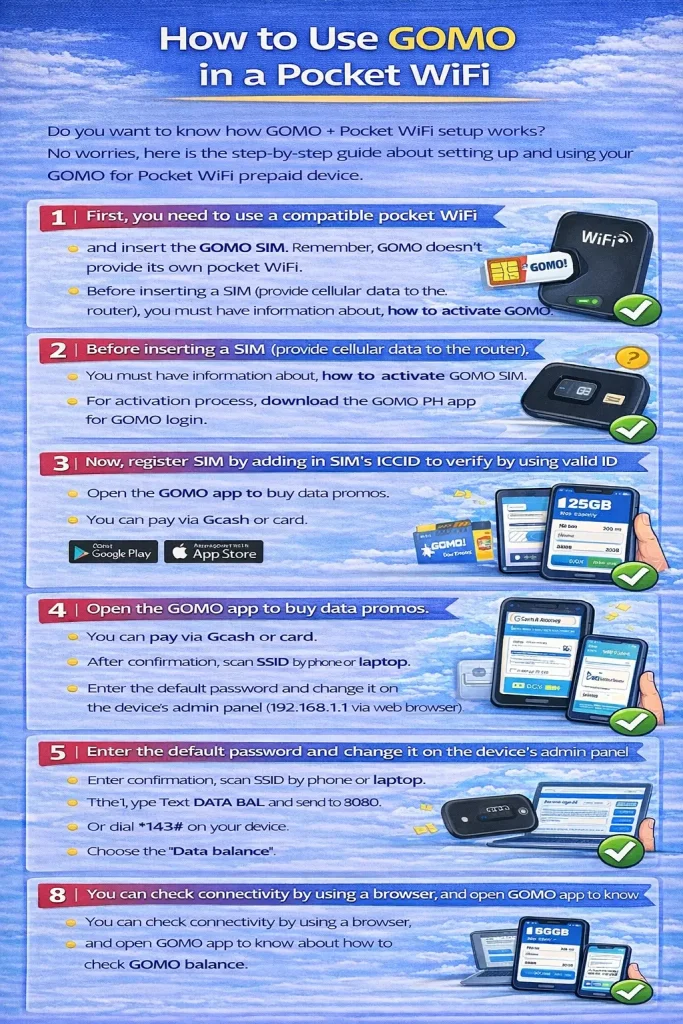
Do you want to know how GOMO + Pocket WiFi setup works? No worries, here is the step-by-step guide about setting up and using your GOMO for Pocket WiFi prepaid device.
- First, you need to use a compatible pocket WiFi and insert the GOMO SIM. Remember, GOMO doesn’t provide its own pocket WiFi.
- Before inserting a SIM (provide cellular data to the router), you must have information about, how to activate GOMO SIM.
- For activation process, download the GOMO PH app for GOMO login.
- Now, register SIM by adding in SIM’s ICCID to verify by using valid ID and OTP.
- Open the GOMO app to buy data promos. You can pay via Gcash or card.
- After confirmation, scan SSID by phone or laptop.
- Enter the default password and change it on the device’s admin panel (192.168.1.1 via web browser).
- You can check connectivity by using a browser and open GOMO app to know about how to check GOMO balance.
Most Popular GOMO Pocket WiFi Devices
Here are some of the most popular GOMO compatible pocket wifi devices mentioned below which are compatible with GOMO SIM.
| Device | Price (₱) | Key Specs | Best For | Where to Buy |
| Huawei E5576-320 | ₱2,999–₱3,500 | 4G LTE, up to 150Mbps, 1500mAh battery, supports up to 16 devices | Budget-conscious users needing reliable 4G | Shopee, Lazada, Globe Stores |
| TP-Link M7200 | ₱3,200–₱3,800 | 4G LTE, 150Mbps, 2000mAh battery, supports up to 10 devices | Travelers wanting a lightweight, durable device | Online shops, tech stores |
| Globe MyFi LTE Advanced | ₱4,000–₱5,000 | 4G LTE Cat 6, 300Mbps, 3000mAh battery, supports up to 15 devices | Heavy users who want speed and dependable performance | Globe Shops, Lazada |
| Huawei 5G Mobile WiFi Pro | ₱12,999–₱15,000 | 5G NR, 1.6 Gbps max speed, 8000mAh battery, supports up to 32 devices | Users in 5G areas wanting top performance with GOMO 5G SIM | Shopee, Globe Online Shop |
GOMO Data Promos and No-Expiry Plans
For heavy internet users, GOMO has flexible data promos and no-expiry data plans.
- 20GB for ₱259 (For everyday browsing)
- 30GB for ₱299 (limited-time promo)
Pros and Cons of GOMO Pocket WiFi
Pros
- No-expiry Data
- Flexible data plans (LTE/5G network coverage)
- Mutiple device compatibility
- Easy setup
- Low cost
Cons
- Inconsistent speeds
- No data roaming bundles
- Extra device to carry
- Limited Battery Life
Does GOMO Offer a Pocket WiFi Device?
GOMO doesn’t offer its own Pocket WiFi device, as it comes with SIM-only data plans. If you are a GOMO user, you need to buy a separate pocket WiFi router and insert your SIM into a compatible pocket WiFi device. For GOMO WiFi hotspot, ensure your device is unlocked and supports APN settings.
FAQs
Conclusion
If you want to take full advantage of the speeds and performance then choose the best GOMO Pocket WiFi device. As it is a portable internet hotspot to share WiFi with multiple devices like smartphones, tablets, or laptops. It is an ideal option for those who want to get benefit from flexible and cost effective potable internet. Make sure, you must be in the strong GOMO coverage area. In case of encountering any trouble, then contact the GOMO hotline and don’t forget to take advantage of the GOMO referral program.