How To Check Balance In Globe?
Knowing how to check your Globe prepaid load balance is essential, especially if you want to stay within load and data. Globe offers simple methods for monitoring call minutes, text credits, and internet usage.
By using a USSD code *143#, through SMS, or the GlobeOne app, you can easily check your balance. This empowers you to manage your account responsibly, ensuring uninterrupted connectivity and control over your usage. In this guide, we will outline the essential steps on how to check balance in Globe so you won’t have to worry ever again.
Why Check Your Balance In Globe ?
It is more frustrating than reaching a point where, with your knowledge, your globe balance is depleted, and you can make a call. It makes a point not to leave you without load or data while in the middle of a call, texting, or browsing the internet.
This way, you’ll ensure that you’re always informed of your remaining balance so that you can remain in full control of your Globe promos, including the best time to reload to maximize the potential of these promos.
It appears that you need to know how to check your balance in Globe, and we’ve got everything you need right here.
How to Check Balance in Globe Using USSD Code
USSD code is also one of the simplest methods for checking a person’s balance. Below is a detailed procedure for doing so.
Steps:
- Open your mobile dial.
- Dial *143# & dial Call.
- A menu will appear. Please select one of the two options: Balance Inquiry or My Account.
- You can see your remaining load, data, and promo subscriptions on the screen.

This free method applies to all Globe prepaid SIM card mobile phones. It is a brief way to monitor your load and data usage without having to go online.
How to Check Data Balance in Globe Through Text
The final check on your globe balance and you will be using the simplest among the three, and that is through an SMS. In case you require how much balance of data you consumed, the globe network provides a feel of text-based inquiry. Through the following steps, you will learn how to check data balance in globe through text:
Steps:
- Turn to your phone’s messaging application.
- Type BAL in a new message.
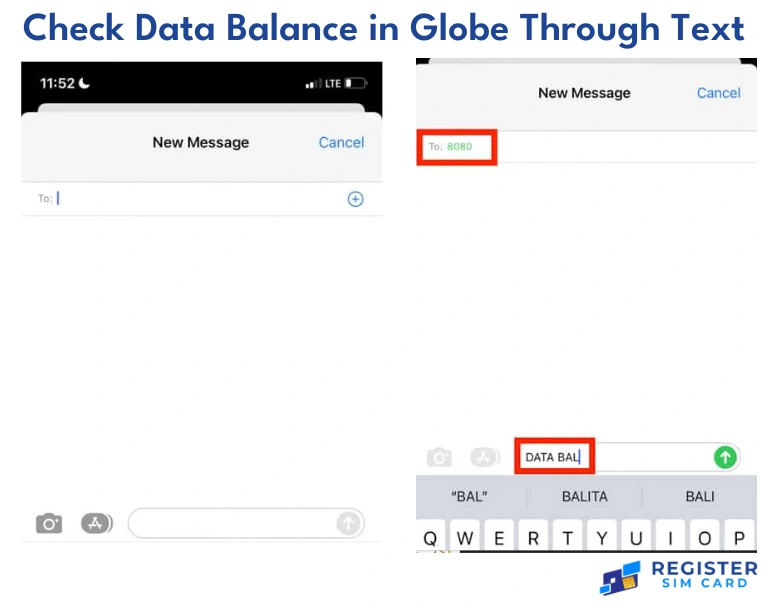
- Could you send it to 8080?
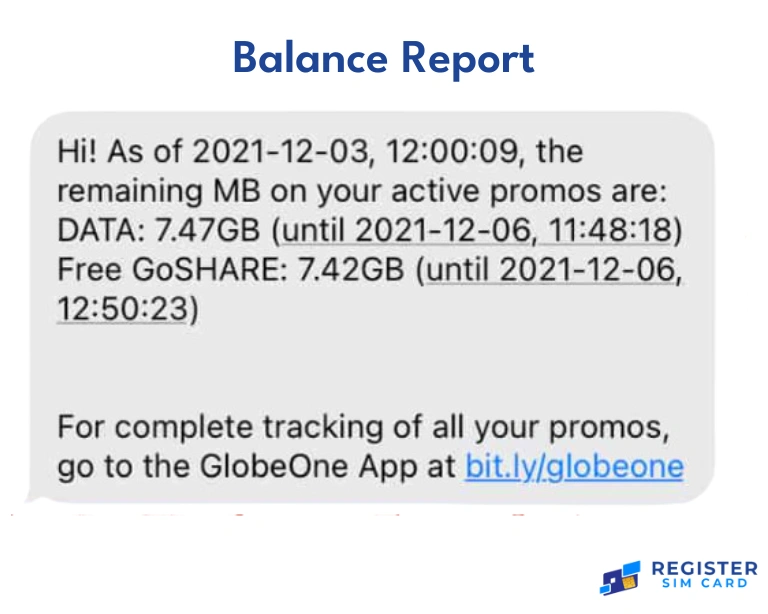
You will get the remaining data in your line within the few seconds you send the text. This method is commonly used when people want to know how much data they must use often, especially using a certain promo or bundle.
How to Check Balance in Globe Through the GlobeOne App
If you are a Globe subscriber, you can download the application they call Globe One and manage your account there. This app also allows you to know your balance and data bundle usage and even recharge your number.
Steps:
- Get the GlobeOne App from Google Play for Android devices or Apple Store for iOS devices.
- Tap the screen to start the app, and then enter your globe number to log in.
- The home screen will initially show your load balance, your data balance, and the promo subscriptions you have chosen.
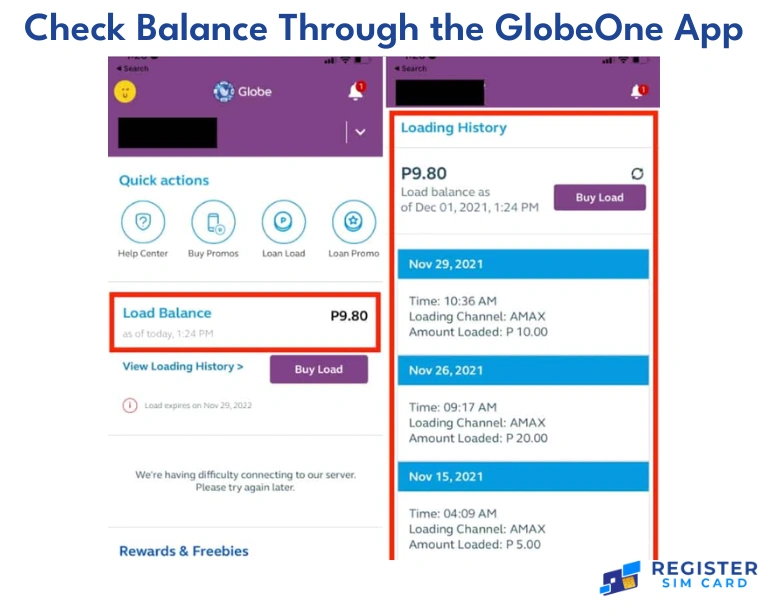
Thirdly, this app provides a more comprehensive view of your account and information on your current promos and expiration dates. As stated, it is user-friendly for users who would like to sort out their accounts easily.
How to Check Balance in Globe via 143#
The other easy method is to use the Globe service code to check your balance, which is usually followed by a specific amount.
Steps:
- Open your phone dialer.
- Dial *143#.
- Off the end product that appears in the menu, choose the one that is labeled Balance Inquiry.

This method is fast, does not need internet use, and is costless. It is valuable, especially to those who seek non-application-based features.
How to Check Balance In Globe: Using 8080 Service
remaining balance. It remains a useful service for those people who are keen on receiving the account balance through text messages. In the following steps i am going to describe how to check balance globe:
Steps:
- Open your messaging app.
- Type BAL and send it to 8080.
- You will receive a message upon joining with other details regarding your remaining balance as well as data.
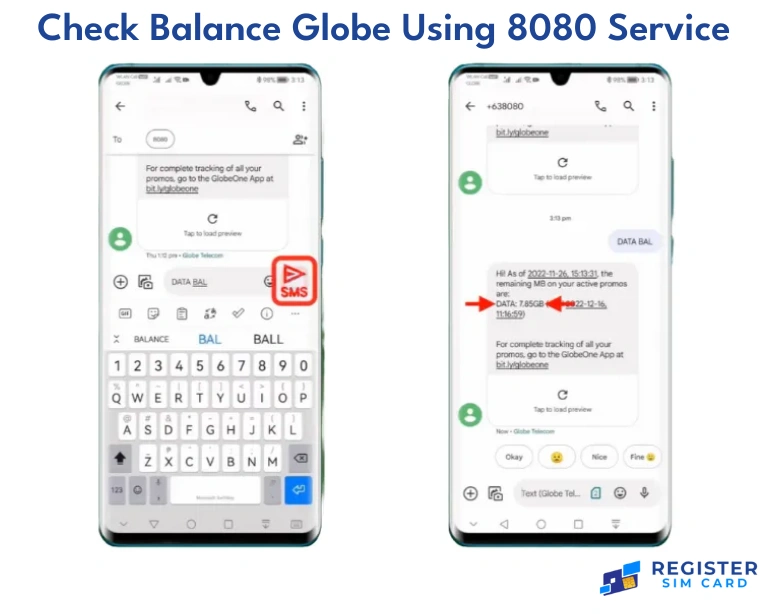
The 8080 service does not have any charge that has to be paid and it can be accessed at any one time in case you want to check the remaining load and data. It remains one of the easiest methods for you to know more about your prepaid balance.
Balance Inquiry Globe Through Customer Support
If you decide to find a customer representative, you should involve the hotline number of the balance inquiry globe. Unlike the other methods, though it may take slightly longer, you are assured to get help as we assist you with the questions you have.
Steps:
- Call 211 out from your Globe phone.
- They offer you several options to be able to speak to customer service.
- Request for your balance and data information.
This can be useful when you need to discuss something beyond balance inquiries – getting familiar with promo specifications or solving problems.
How to Check Globe Postpaid Balance
If you are a subscriber to Globe postpaid you do not get the option to do it in similar to how the prepaid do it.
Currently, postpaid customers can check their bill, unbilled charges as well as their used amount of data via GlobeOne or through SMS.
Steps:
- To receive the bills, SMS the word BILL to 8080.
- For additional functionality, log in with your postpaid account; and have viewable current balance and usage on the home page.
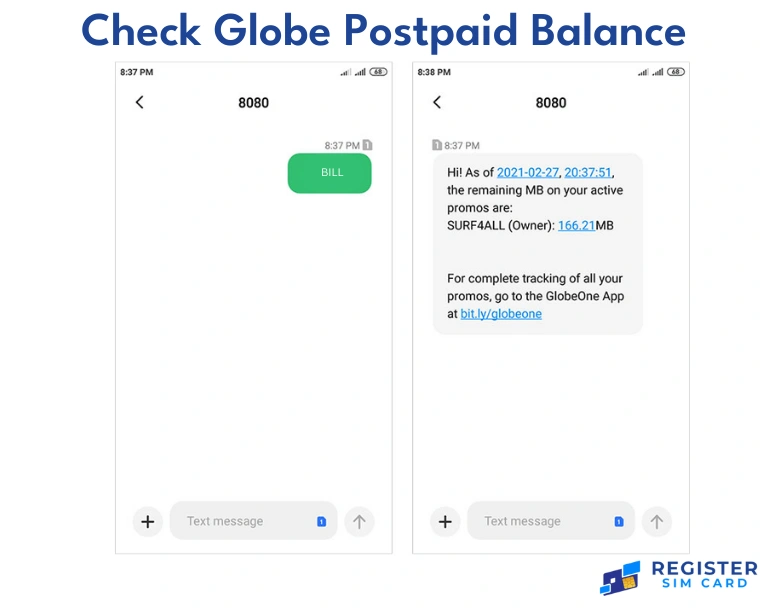
The postpaid users can also know how much is due for them by dialing the customer service hotline or even visiting the website of Globe.
How to Check Globe Balance Abroad
If you are a Globe user and you travel overseas, you should monitor your balance to prevent additional charges. You can even test your balance using just an SMS or even with the GlobeOne app if you are on international roaming.
Steps:
- For SMS, send BAL to 8080.
- When it comes to the GlobeOne app, just log in and have a glance at the balance and usage from within the application.
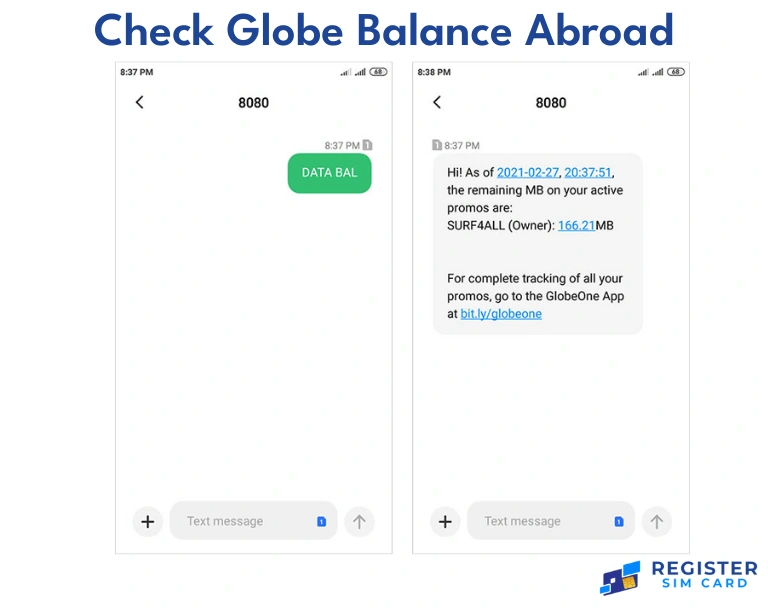
Whichever the method; they function when on the move; though there may be some charges incurred depending on the network.
FAQs
Conclusion
Learning how to check your Globe balance is a good thing because it makes it easier for you to monitor charges and data. Pin *143#, text BAL to 8080, or visit the GlobeOne app to know For balance checkups, it is fast with an 8080 SMS service; the GlobeOne app offers more extensive balance statements. Pre-checks will ensure that you do not exhaust your load or data before you can make another recharge.