How to Balance Inquiry in TM – Check TM Data & Load Balance Easily
If you are a TM subscriber, it is mandatory to check your remaining credits on your device to avoid unexpected extra charges. Here is a question that arises: How to balance inquiry in TM?. User can check their data balance by dialling USSD code *123# or by messaging DATA BAL to 8080. To do this, there is a small fee to be paid. So, first complete the TM SIM registration process before performing a balance inquiry.
What is a Balance Inquiry in TM?
TM data balance inquiry refers to checking the remaining balance, including load, call/text minutes, and TM data promos on your prepaid SIM card. Moreover, it helps you check the validity of active promos and determine when you need to top up or purchase a new data package. You can monitor your data by ensuring that you never suddenly run out of credits. Here we have covered every detail you need to know about how to check balance in TM.
TM Balance Inquiry Methods
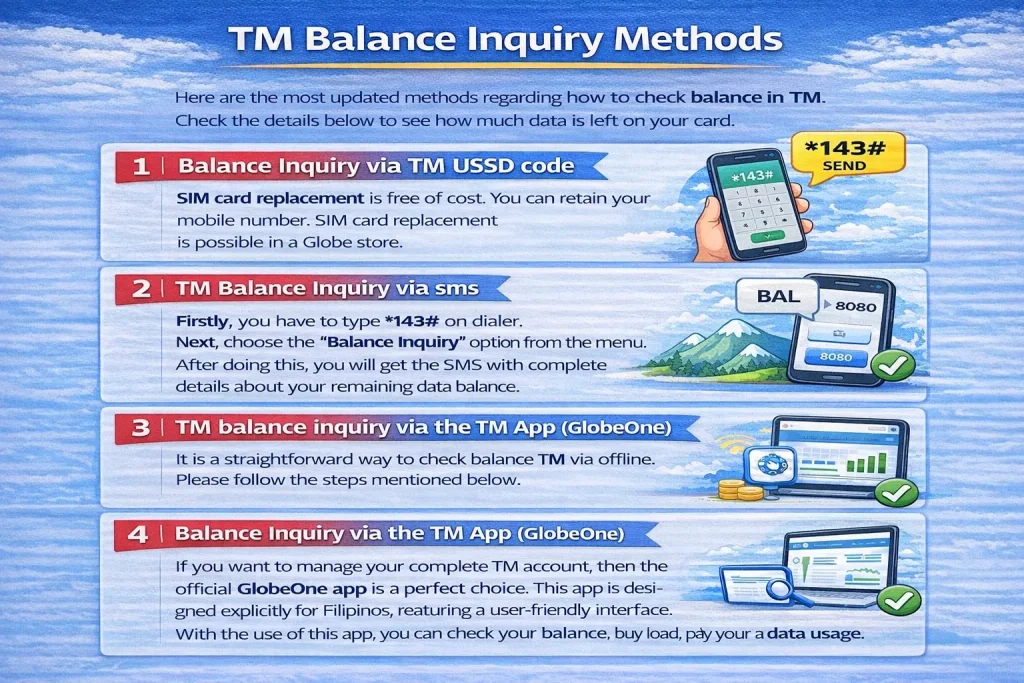
Here are the most updated methods regarding how to check balance in TM. Check the details below to see how much data is left on your card.
1. Balance Inquiry via TM USSD code
The most convenient and quick method is to check the TM balance via USSD (Unstructured Supplementary Service Data) code. For this method, you don’t need a fast internet connection. This service is accessible 24/7. Here are the easiest steps for checking your TM data balance.
● Firstly, you have to type *143# on dialer.
● Next, choose the “Balance Inquiry” option from the menu.
● After doing this, you will get the SMS with complete details about your remaining data balance.
2. TM balance inquiry via sms
It is a straightforward way to check balance TM via offline. Please follow the steps mentioned below.
● First, open your messaging app on your device (Android or iOS).
● Type a text “BAL” (Balance) and send it to 8080.
● After a while, you will get a text containing information about your remaining data balance.
● If you are experiencing slow data speeds, adjust your TM APN settings after checking your balance.
3. Balance Inquiry via the TM App (GlobeOne)
If you want to manage your complete TM account, then the official GlobeOne app is a perfect choice. This app is designed explicitly for Filipinos, featuring a user-friendly interface. With the use of this app, you can check your balance, buy load, pay bills, and track your data usage. Here are the details you must know.
● Download the official TM app from the Google Play Store if you are an Android user. For iOS users, visit the App Store & download this application.
● If you don’t have an account yet, you need to register a new one by using your TM number.
● Or log in to check your balance if you already have a TM account.
● Once it’s done, view your dashboard, which contains information about your remaining data balance and load history.
4. Check Data Balance/Inquiry via the TM Website
Do you want to manage your account on a big screen? This method is best for you. Here are the details to use this method.
● Firstly, use your laptop/desktop browser or mobile browser and visit the TM official Globe website.
● Utilise your credentials and log in to your account, such as your TM mobile number.
● Once login is done, navigate to the dashboard and find the details about data usage in real time and subscribe to promos.
TM Balance Inquiry – Customer Service Support
TM customer hotline: Dial 808
Live Chat Support: https://www.globe.com.ph/help
Globe & TM general customer service 24/7: Dial 211
Email: [email protected]
Facebook: https://www.facebook.com/TMTambayan
FAQs
Conclusion
If you want to experience smooth data usage without interruption, it is essential to check your data balance in TM regularly. There are four methods regarding “how to balance inquiry in TM, such as USSD code, via SMS, GlobeOne app, and website. Use anyone that is more convenient and suitable for you to stay on top of your data balance without worrying about running out of mobile credits. If you encounter any issues while checking your promo balance in TM, please get in touch with TM customer support for balance inquiries.