TM SIM No Signal: Causes, Fixes, and Easy Solutions for year (2026)
Are you facing a TM SIM no signal problem? In the Philippines, many people are facing ’no signal’ issues. Sometimes your mobile shows no signal. You cannot make voice calls, send texts, or use your mobile data properly when TM has no signal. This problem may prevent you from making calls, sending text messages to others, and using your mobile data. In this case, TM Sim operates under the Globe Telecom network.
A complete guide is given below to help fix the no-signal problems.
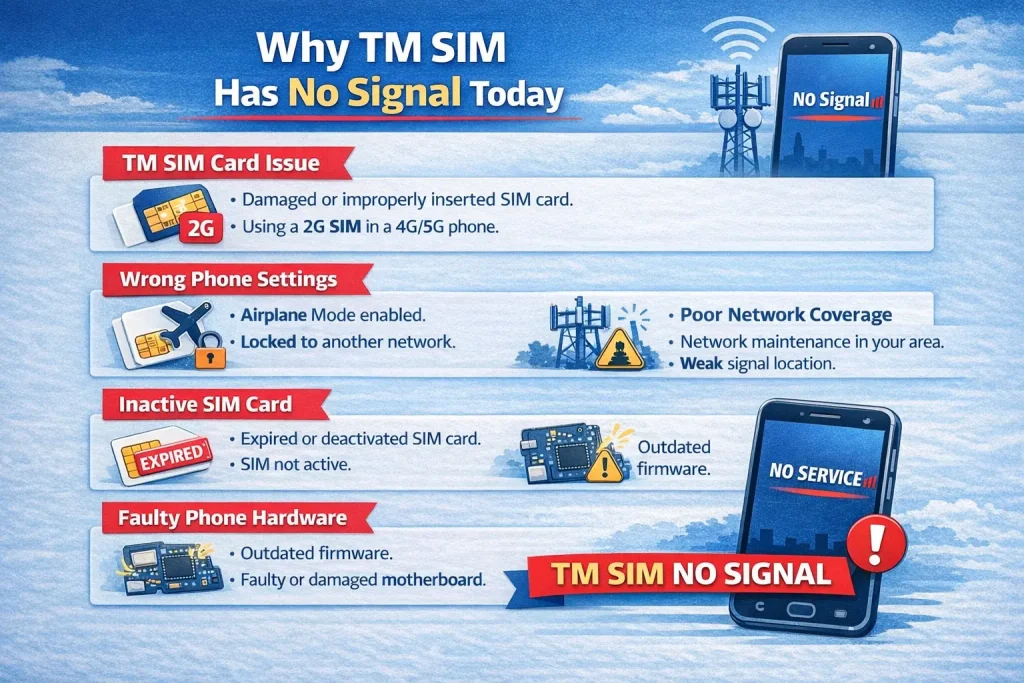
Why does TM SIM have no signal today?
Here are several causes of no signal on your mobile with a TM SIM.
- TM SIM Card Issue:
A damaged SIM card is also responsible for the no-signal issue. Moreover, if it is not inserted properly, you will also face the same problem. If your SIM has 2G technology and your mobile phone supports 4G/5G technology, then it also does not work properly.
- Wrong Phone Settings:
When you unintentionally turn on the airplane mode, then you can face the no-signal issue. Check if you have locked your mobile phone to other network carriers, then change the settings.
- Poor Coverage of Network:
In some local areas, TM may be working on their maintenance. Due to this reason, you are facing a low signal problem.
- Inactive SIM Card:
No-signal problem occurs when your SIM card is expired or inactive on your mobile phone. Due to the deactivation of your SIM card, your mobile phone displays TM SIM no signal today.
- Faulty Phone’s Motherboard:
Check your phone, bug, or motherboard. Sometimes, due to outdated firmware or a faulty motherboard, your mobile shows no service.
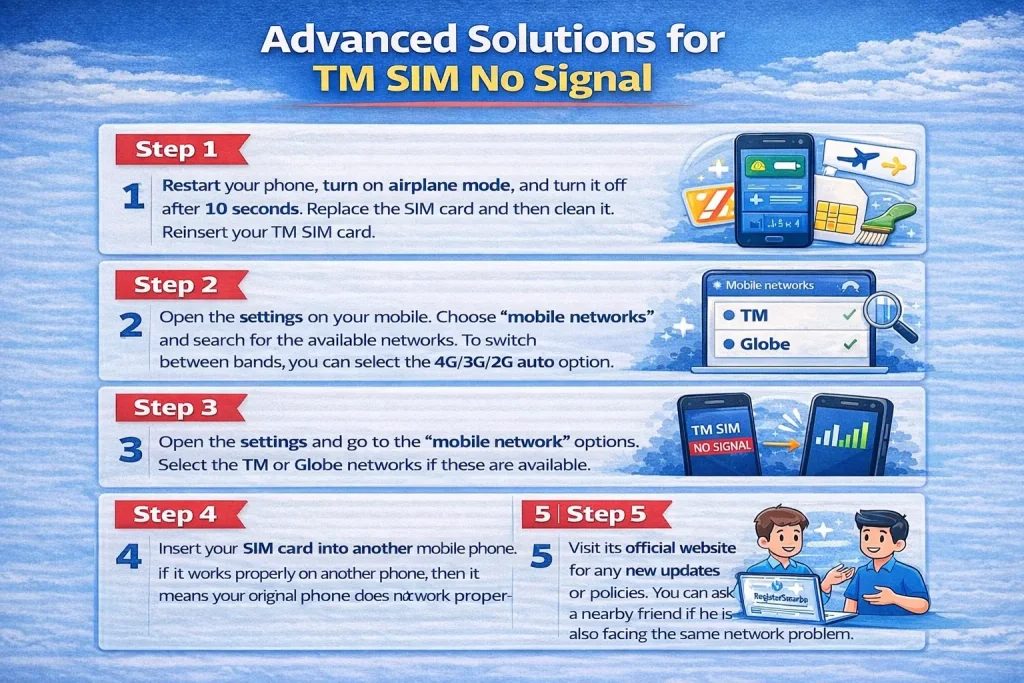
Advanced Solutions for TM SIM No Signal
Below are the solutions for the SIM tm with no signal issue that can help fix the problem.
Step 1:
Restart your phone, turn on airplane mode, and turn it off after 10 seconds. Replace the SIM card and then clean it. Reinsert your TM SIM card.
Step 2:
Open the settings on your mobile. Choose “mobile networks” and search for the available networks. To switch between bands, you can select the 4G/3G/2G auto option.
Step 3:
Open the settings and go to the “mobile network” options. Select the TM or Globe networks if these are available.
Step 4:
Insert your SIM card into another mobile phone. If it works properly on another phone, then it means your original phone does not work properly.
Step 5:
Visit its official website for any new updates or policies. You can ask a nearby friend if he is also facing the same network problem.
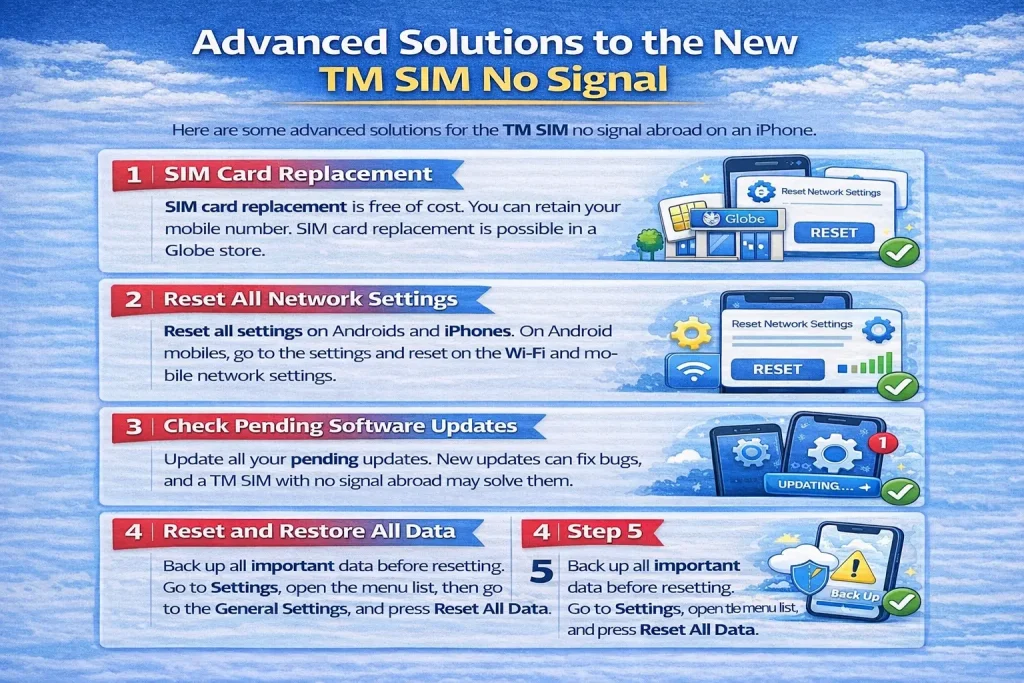
Some advanced solutions to the new TM SIM no signal:
Here are some advanced solutions for the TM SIM no signal abroad on an iPhone.
- SIM card replacement:
SIM card replacement is free of cost. You can retain your mobile number. SIM card replacement is possible in a Globe store.
2. Reset all network settings:
Reset all settings in Androids and iPhones. On Android mobiles, go to the settings and reset the Wi-Fi and mobile network settings. Open the settings and reset it on the iPhone.
3. Check pending software updates:
Update all your pending updates. New updates can fix bugs, and a TM SIM with no signal abroad may solve them.
- Reset and restore all data:
Back up all important data before resetting. Go to Settings, open the menu list, then go to the General Settings, and press Reset All Data.
TM Network Coverage Areas
TM is a part of Globe Telecom and has wide coverage across many regions in the Philippines. But it is not available in many regions, like
- Basements and underground areas
- Mountain regions
- Remote provinces
Note: Globe Network Coverage Map is used to check the coverage in different areas.
Contact TM Customer Service
You can contact us by using three ways:
- Hotline (Dial 808)
- Chat on Facebookm.me/TMtambayan
- By visiting a physical Globe store
FAQs
Summary
“No signal” is a sign of frustration in the busy life of today’s modern era. TM signal issues are common but fixable. Users are left stranded when there is no access to basic communication services. Disrupting online classes, important video calls, and meetings may lead to several major pain points.
Solutions to all the troubleshooting errors are given above, whether the problems are in your network, mobile phone, or SIM card. You can visit our physical store, website, or customer support service. Users should know the TM SIM registration process.


![Dito 5G Coverage [2026]: Full List of Areas & Official Map](https://registersimcard.ph/wp-content/uploads/2025/07/Dito-5G-Coverage-768x448.webp)